Native Apple app · Jellyfin

Switch on
instead of picking.

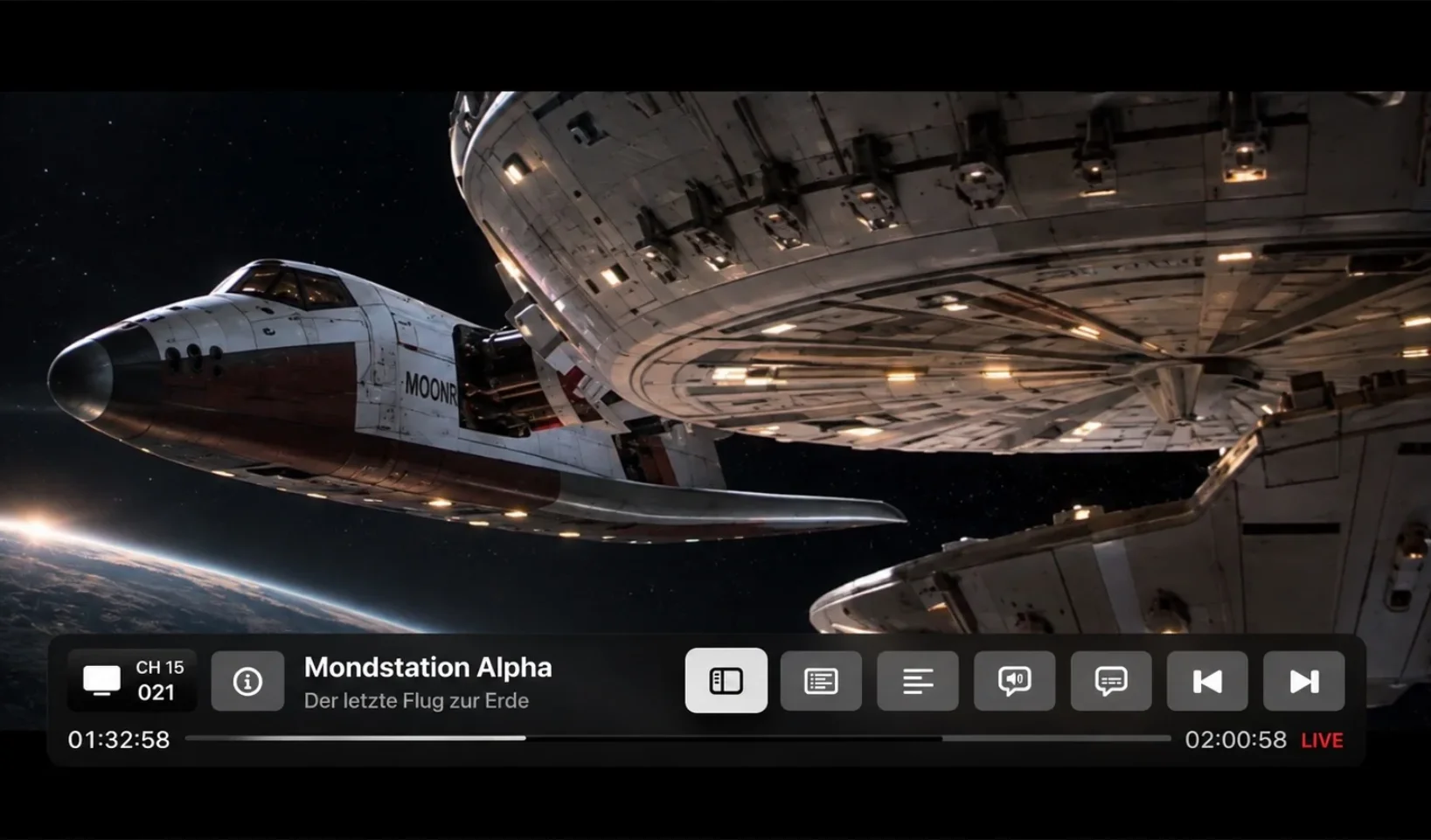
Your library holds 4,000 titles and you still can't find anything. 90sTV turns that around: it makes your Jellyfin server into TV channels that run on a fixed schedule. You switch on, and it's already playing.

For Mac · Apple TV · iPad

SwiftUI · Runs against your own Jellyfin server

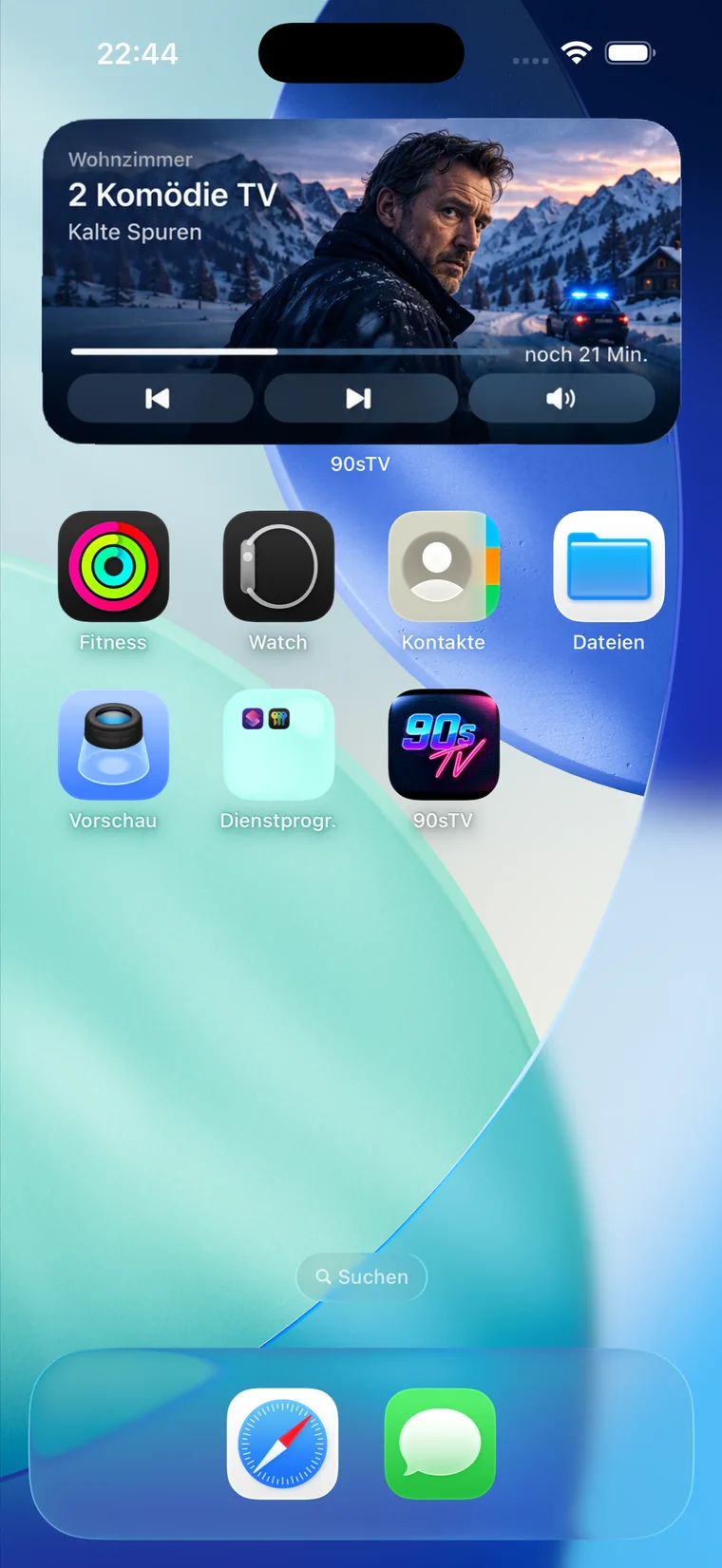
On air now

A schedule, not a menu

The schedule isn't a queue waiting for you. It runs, even while the app is closed.

01

It carries on without you

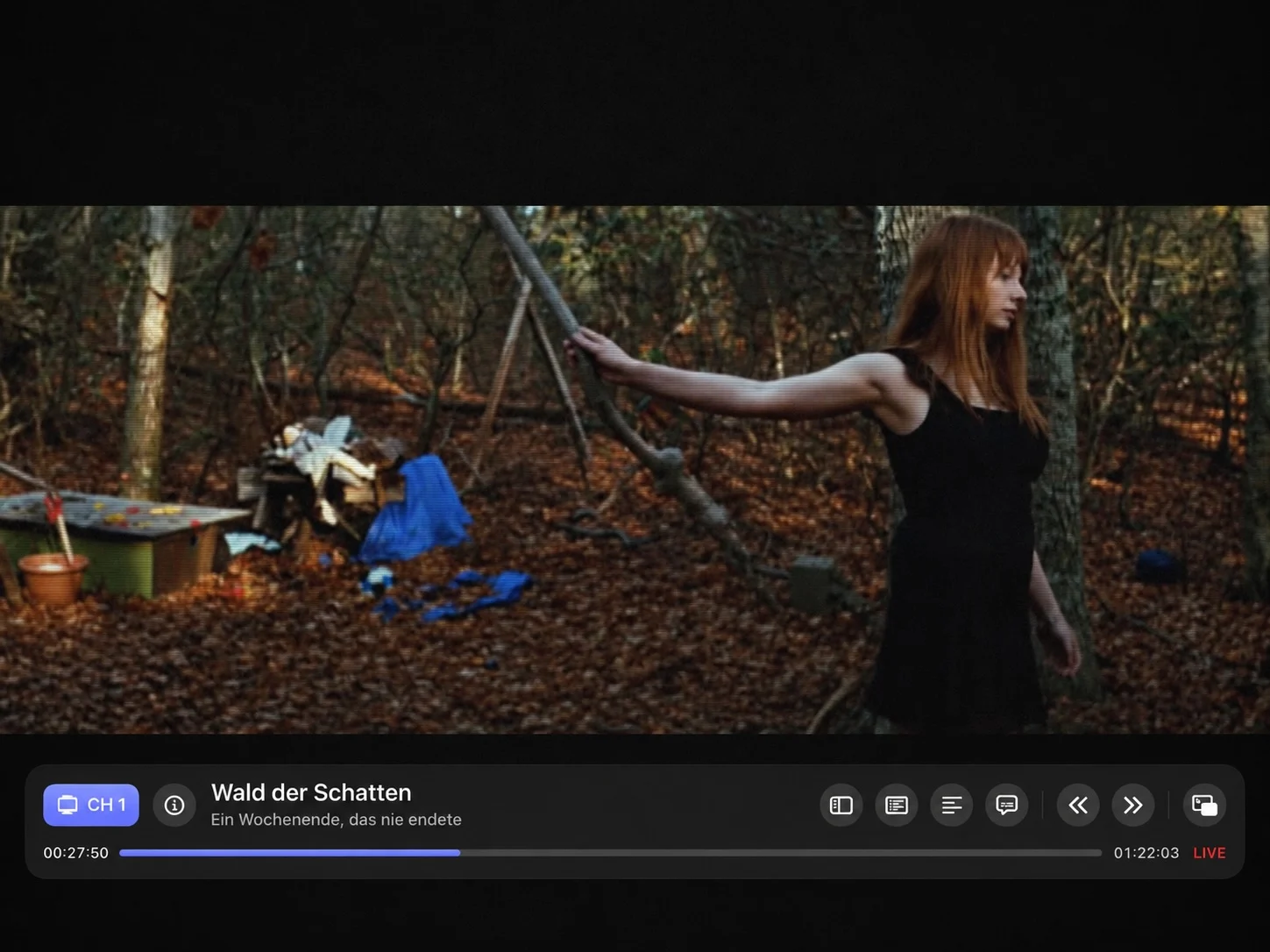
Every channel works out its schedule from a fixed point in time and a fixed seed. Open the app at 20:14 and you join halfway through, exactly where the channel has got to. No "resume from 00:00".

02

The same programme twice

The same channel shows the same picture on every machine at the same second. The schedule is pure arithmetic, start time, seed and runtimes. None of it is rolled while you're watching.

03

You can miss things again

The film at 20:15 starts at 20:15. Turn up at 20:40 and you've missed the opening. That's the whole point: a programme you can miss is one you sit down for.

Channels that build themselves

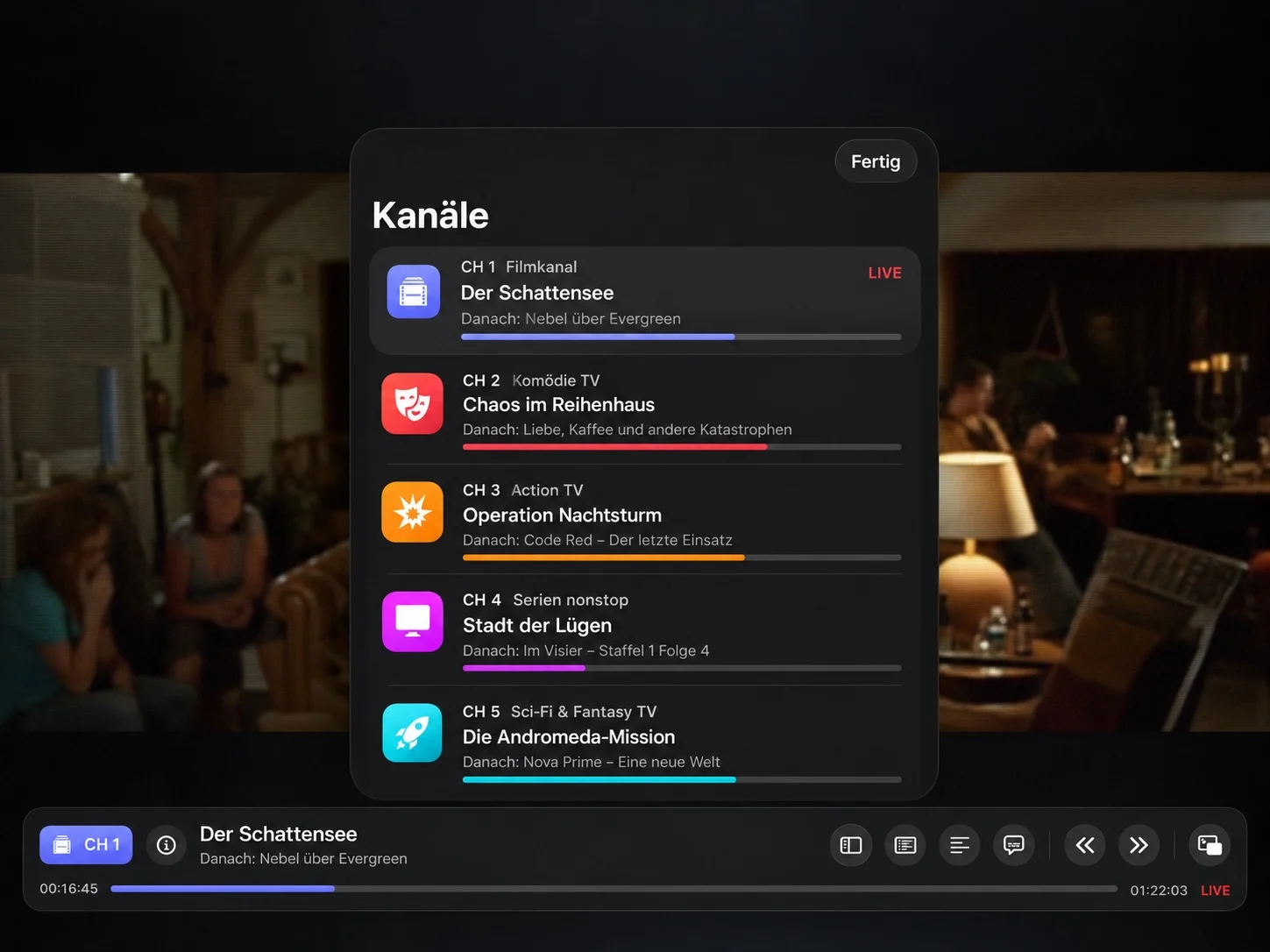
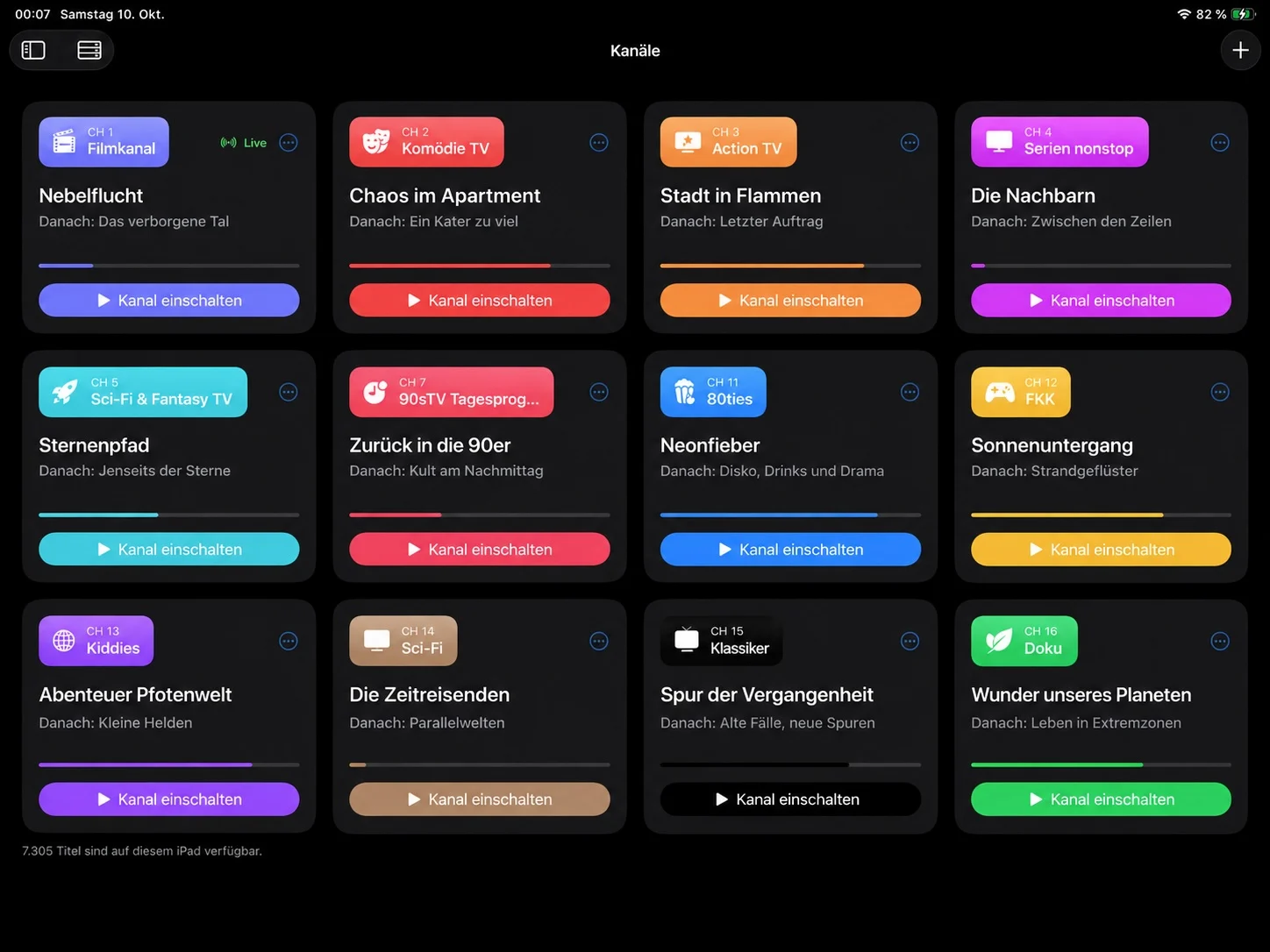
After the first sync the channels are already there: a shuffled film channel, a series channel in season and episode order, channels for your most common genres, and a mixed one. From then on you can rebuild any of it.

Pick a channel, or flick through with .

    Rule channels keep growing

    A genre channel is a rule, not a list. New episodes land on the server and they're in the schedule.

    Hand-built channels stay put

    Titles, seasons or whole series in any order. A "series folder" resolves when it plays, newly synced episodes slide in by themselves.

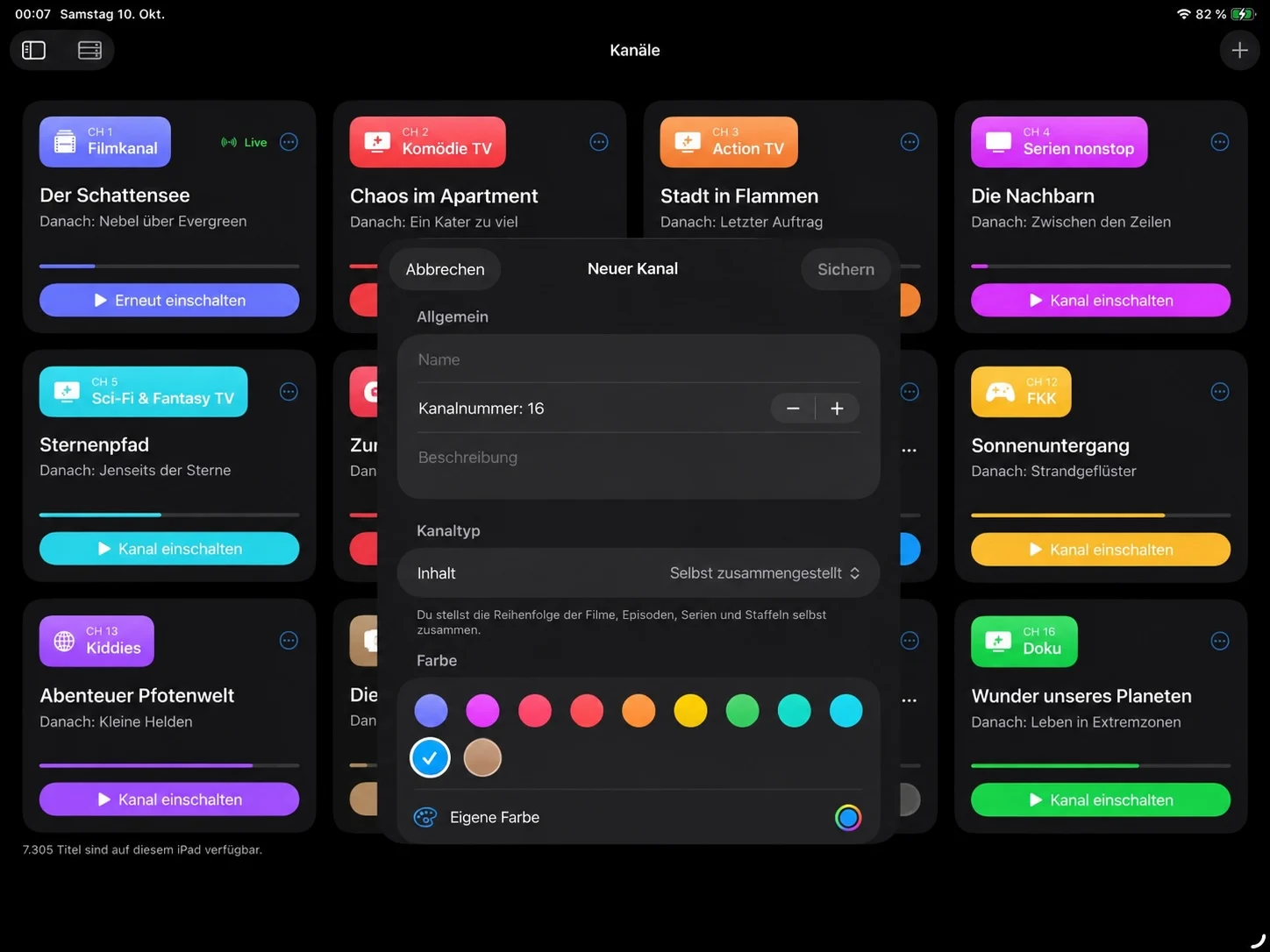
    Number, name, colour

    Every channel has a number like on a tuner, a symbol and a colour, and carries it through the guide, the ident and the picture.

    A channel that knows what time it is

    Cartoons in the morning, series in the afternoon, the film at 20:15 and afterwards the things children weren't supposed to see. A daypart channel does exactly that: it looks at the clock and decides what to draw its programming from.

    00:0006:0012:0018:0024:00

    No film gets cut in half

    The block only changes when the next programme starts. A film that begins at 20:15 runs to the end, even if it reaches into the night.

    If it finds nothing, it has a plan B

    Every block has a fallback: if you own no cartoons, the morning runs a series rather than a black screen.

    The day doesn't start at midnight

    At two in the morning the night block is still running, the one that began at 23:00 carries across midnight until the next one starts.

    Everything once, then round again

    Within a block every title airs once before anything repeats. The order still stays predictable and identical everywhere.

    The TV guide

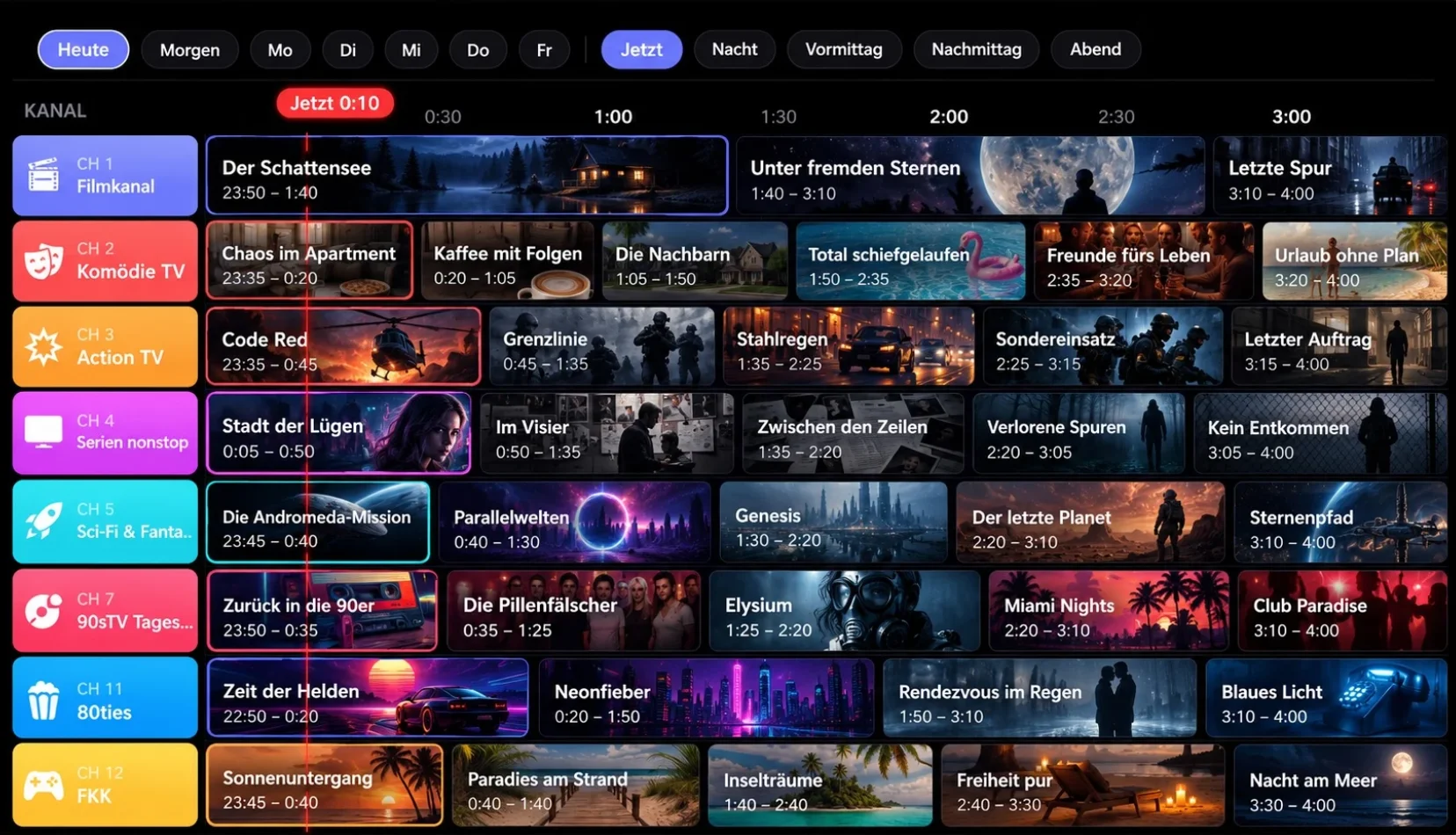
    What's on next, what follows it, what runs through the night, up to a week ahead. The times below are not a mock-up: they're being worked out right now, with the same logic the app uses.

    NOW,:,

    Reminders move with the schedule

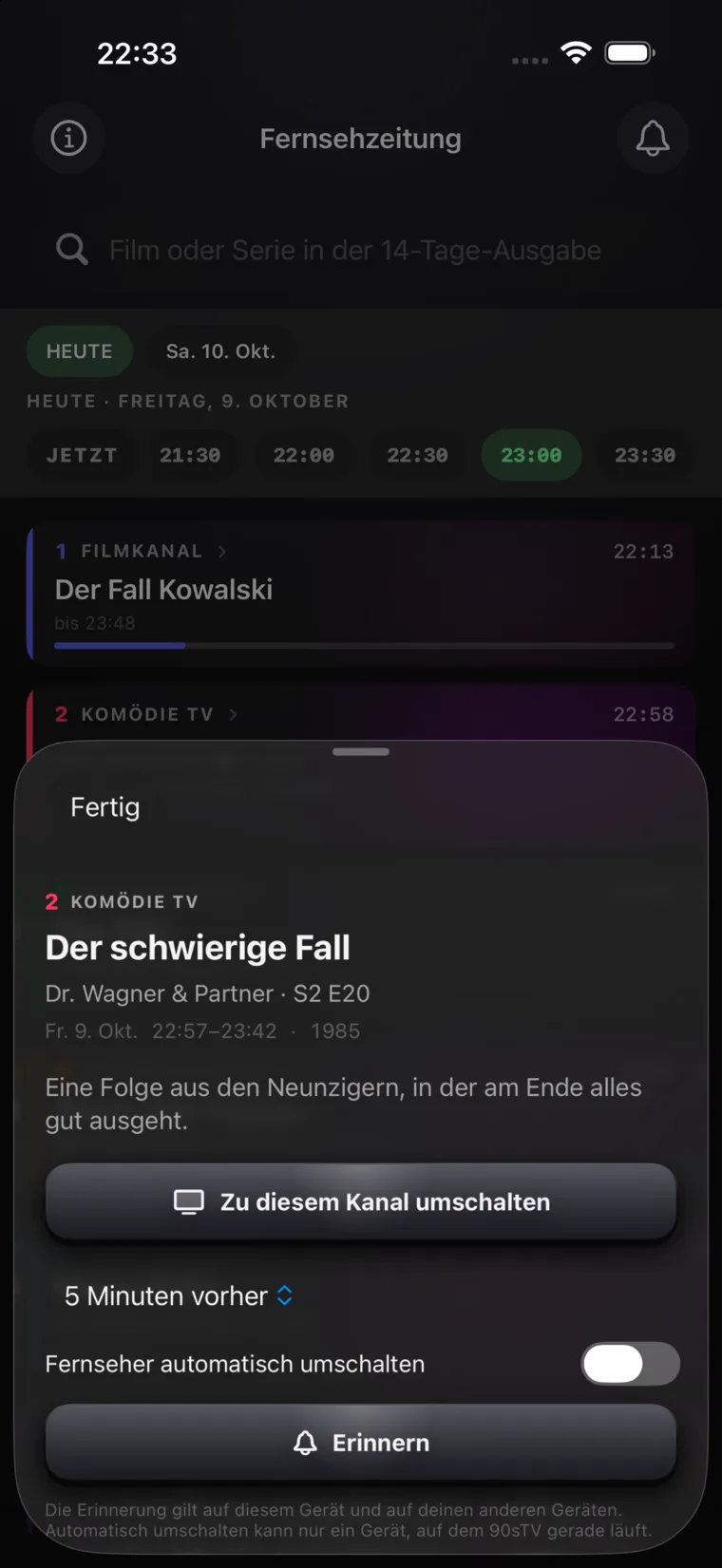
    What's remembered is "this title on this channel", not a clock time. New media shifts the schedule, and the reminder shifts with it.

    Tune in automatically

    If you want, the app switches to the channel itself when the programme starts. Lead time: on the dot, 5 or 15 minutes early.

    Broadcast mode

    The reason programmes used to start at round times: the slot. Every programme is rounded up to the next grid. Whatever is left over gets filled with spots, and the last seconds belong to the station ident.

    Slot grid

    • Programme
    • Adverts
    • Station ident

    Adverts from your own library

    You set up a folder of spots in Jellyfin and point the app at it. Those titles never run as programming again: they disappear from every channel and from title search, and are only available as filler.

    The break runs between two programmes, never into one. The spots don't show up in the guide; what's listed there is what you switched on for.

    CH 1
    MOVIES
    Back shortly, 0:42

    The ident is drawn, not played back: no video, no rights, and accurate to the second for however long the slot has left.

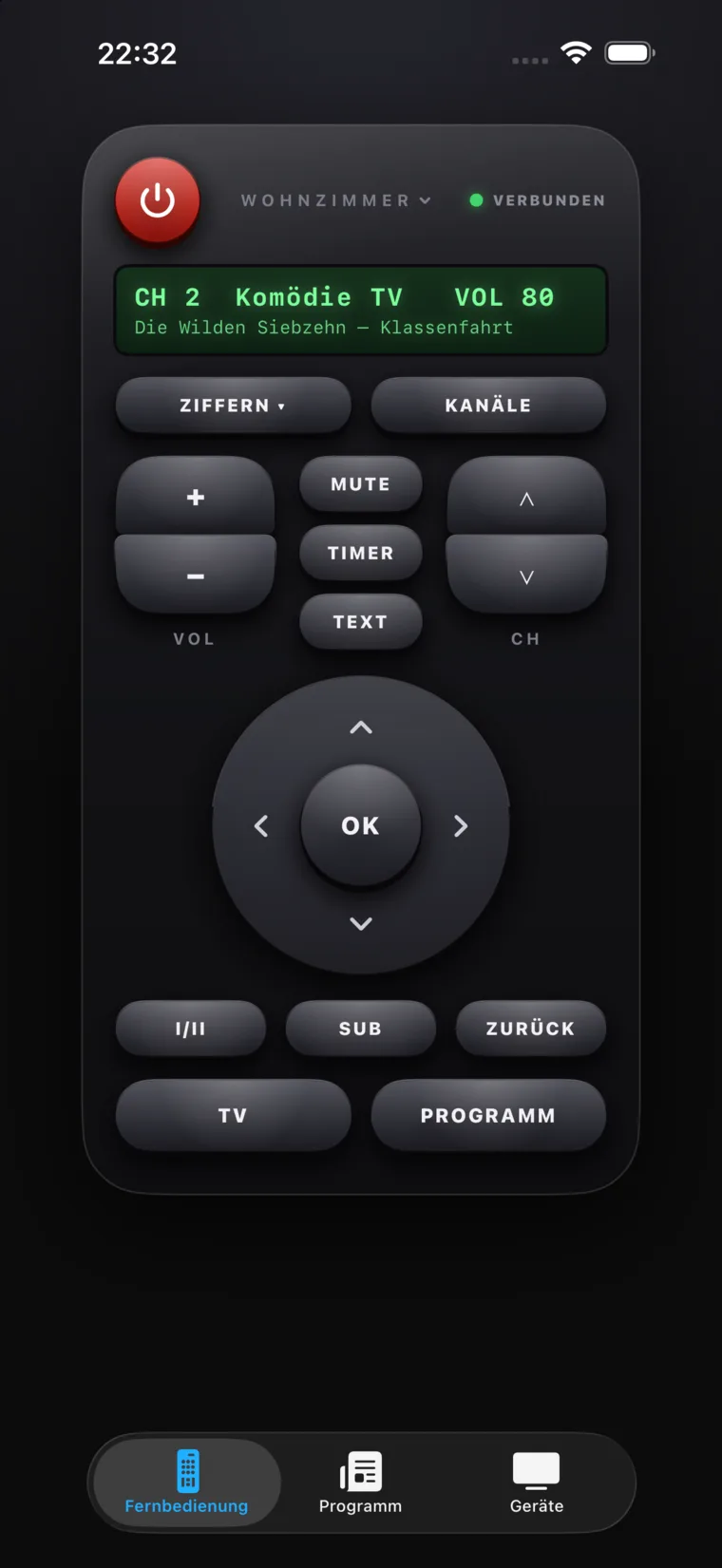
    Your phone becomes the remote

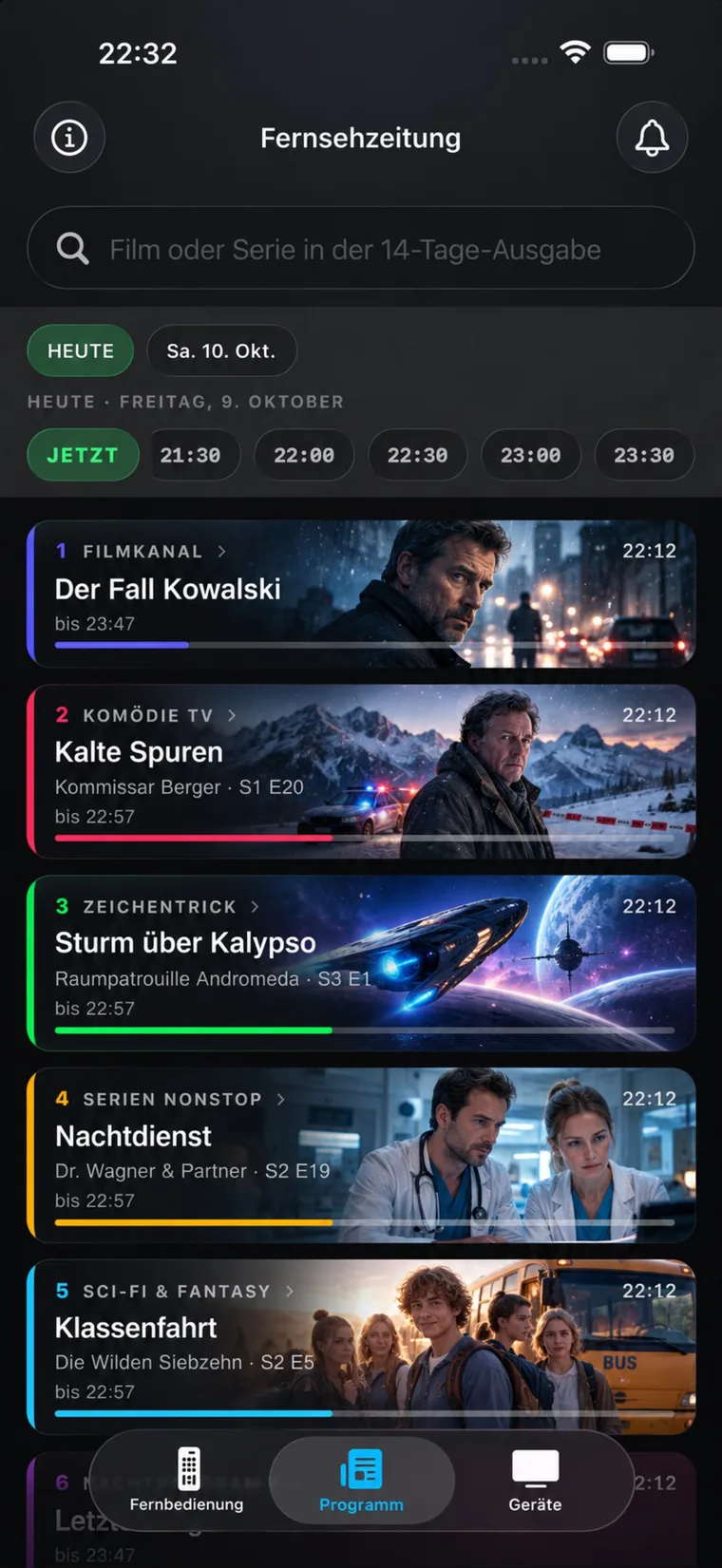
    A code on the screen, a scan with your phone, and you're changing channels from the sofa. No app, no account, and none of it leaves your Wi-Fi.

    No app store

    The code just opens a page in the browser. Add it to your home screen and it launches without the browser chrome, with an icon, like a real remote.

    Only whoever scans gets in

    Access hangs on a secret key that exists nowhere but the QR code. Every page load and every keypress carries it along.

    Off until you switch it on

    The little server runs on your home network only, and only once you enable it. A control surface on the network shouldn't appear unasked.

    The address outlives the router

    What's remembered is the Bonjour name, not the IP, that sits alongside as a fallback in case your router blocks mDNS. So a bookmark still works tomorrow.

    Every key does something

    A remote with dead buttons is a prop. That's why the app grew a volume level and channel-by-number, so the VOL rocker and the keypad mean something. The D-pad browses the TV guide.

    There are two handsets: a plain list with everything you need, and the chunky one in black plastic, with rubber keys, a numeric keypad and an LCD. You swap between them on the remote itself.

    90sTV
    CH –
    VOL
    CH

    This remote is real, go on, press it.

    And then there was teletext

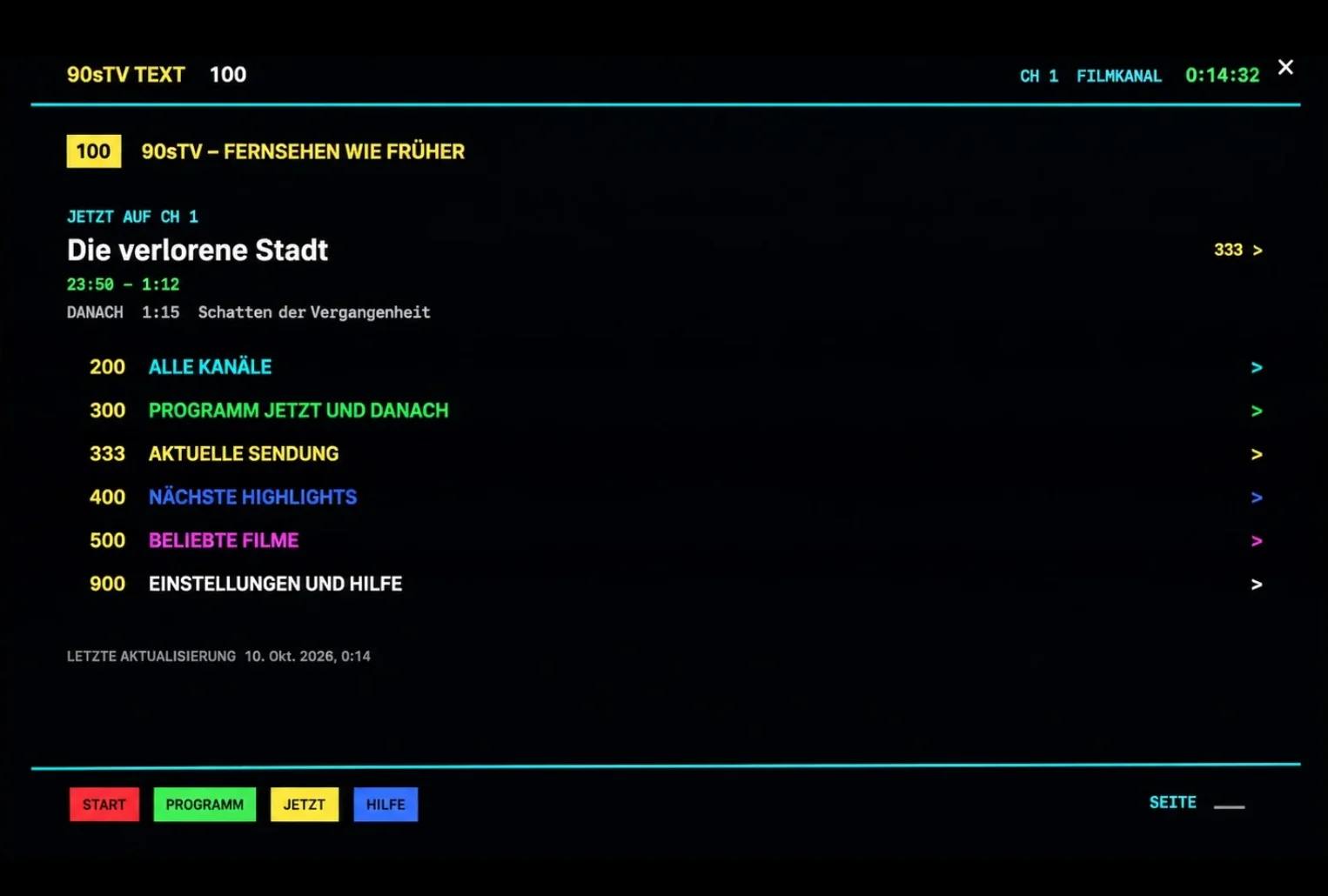
    Page 100 off by heart, three digits typed in, then waiting for the page to come round. 90sTV has a real teletext: the same colours, the same page numbers, the same fastext bar. It invents nothing, every page is just another view of what's already on.

    90sTV TEXT 100 CH 1 --:--:--

    Three digits to get there

    Type a number into the field, on the third digit the page turns. If it doesn't exist, the text says so as flatly as it did back then.

    The colour keys along the bottom

    Red, green, yellow and blue jump straight to the front page, the guide, what's on now and help, like the four keys on the remote.

    Only ever a view

    Teletext holds no data of its own. Channels, schedule, weather and reminders are the same ones the app shows everywhere else.

    The picture faults of 1994

    A cathode-ray set never delivered a clean picture. 90sTV lays the artefacts over the video, scanlines, grain, flicker, VHS slip, dark corners. None of it touches your file. All of it switches off individually.

    Retro effects

    Strength

    Weather reception

    Just like a rooftop aerial: rain brings noise, wind makes the picture drift, a thunderstorm punches holes in reception, fog turns everything milky.

    In the app you can use real weather: your location once, then Open-Meteo. Otherwise nothing happens in the background.

    Community

    You're not alone in front of the set

    There's a Discord around 90sTV: people sharing their channels, tossing in ideas, reporting bugs and reminiscing about test cards and 4:3. Tune in.

    Join the Discord

    Frequently asked questions

    What is 90sTV?

    90sTV turns your Jellyfin library into virtual TV channels that run on a fixed schedule. You switch on and a programme is already playing, the schedule runs even while the app is closed, and it's the same on every device.

    Which devices does 90sTV run on?

    It's a native app for Mac, Apple TV and iPad.

    Do I need a Jellyfin server?

    Yes. 90sTV plays from your own Jellyfin server; there is no separate service behind it.

    Does 90sTV send my data anywhere?

    No. Your credentials go only to the Jellyfin server you enter. There's no account and no telemetry, and only the access token is stored, in the device Keychain.

    Can I use my phone as a remote?

    Yes. 90sTV can run a small server on your home Wi-Fi; you scan a QR code and control channels and volume from the browser, with no extra app. It's opt-in and nothing leaves your network.

    What is the daypart channel?

    A channel that changes what it draws from by time of day, cartoons in the morning, series in the afternoon, a film at prime time and late-night programming after that.

    Why is the schedule the same on every device?

    Each channel computes its schedule from a fixed point in time and a fixed seed, so it's a pure calculation. The same title plays at the same second everywhere, and joining late means you've missed the start.

    Tech & privacy

    Your server, nobody else's

    Credentials only ever go to the Jellyfin server you enter. There's no service behind this, no account, no telemetry.

    The password isn't stored

    Only the access token goes into the Keychain. Signing out deletes it.

    Direct Play first

    Playback runs through AVPlayer and asks for Direct Play first. If the format doesn't suit AVFoundation, Jellyfin's HLS transcoding takes over.

    Local and native

    Native SwiftUI on Mac, Apple TV and iPad. Server and library data live on the device via SwiftData.

    In sync over iCloud

    Channels, programming preferences and reminders travel across your Apple devices through your own private iCloud. Your Jellyfin credentials stay on the device. Without iCloud, everything keeps working locally.

    Television that's already on when you get there.

    Download on the App Store

    For Mac, Apple TV and iPad